





Do your eyes start to feel dry after a long day in front of the screen? Does the text flicker a bit, or do you have to squint to see clearly? Perhaps you also experience fatigue, headache, or dizziness at the end of the day? You are far from alone. More and more people are experiencing screen fatigue – or what we call computer vision syndrome or tired eyes – due to the increasing use of screens in everyday life. We work, read, and entertain ourselves digitally like never before, and it can be felt in both our eyes and energy levels. Read on to discover why screen fatigue occurs – and what you can do to avoid it.
Why do we get computer vision syndrome?
Our eyes are designed to shift focus – between near and far, light and shadow, indoors and outdoors. But today, we spend an average of 8-10 hours daily in front of a screen. We work, read, communicate, and relax digitally – often without breaks. When we stare at a screen for an extended period, several things happen:
• We blink up to 60% less, which causes the eyes to dry out.
• The eye muscles work constantly to focus at short distances.
• The light from the screen (especially blue light) tires the eyes and can disrupt sleep.
In short: The eyes become overstrained – and it shows.
What does screen fatigue feel like?
Screen fatigue manifests differently from person to person. Some experience it as soreness behind the eyes, others as headache, blurred vision, dizziness, or difficulty concentrating. Spot the typical symptoms:
• Dry, itchy, or red eyes
• Blurred vision or double vision
• Headache, dizziness, or nausea
• Tension in the neck and shoulders
• Feeling of fatigue or pressure behind the eyes
Does computer vision syndrome affect the body?
When the eyes are tense, it affects the rest of the body. Vision is closely linked to our balance, concentration, and posture. When you strain your eyes, you often strain your neck too – and that's when headaches creep in. Dizziness, restlessness, and fatigue can therefore also be related to the fact that the eyes are simply working too hard for too long at a time without breaks.
Is screen fatigue a big problem?
Screen fatigue is not a new phenomenon – but it has become much more widespread. More than half of all people who work with or use digital screens for extended periods experience discomfort or fatigue in their eyes, making it a relevant challenge in our modern, digital daily lives.
We work digitally, participate in online meetings, check emails, stream series, and scroll social media. And when the workday is over, it rarely stops. Many continue on their mobile phones, tablets, or TVs – often in the same position and with the same focal distance, which further strains the eyes.
Children and young people are also affected earlier, as screen time in school and leisure increases year by year. Many children spend several hours in front of screens daily – on average almost 4 hours on weekdays and almost 5 hours on weekends. This means that more people experience vision-related problems at a younger age, where such problems were rarely seen before. A survey shows that the proportion of children who complained of headaches or eye problems related to screen use has increased from 12% in 2020 to 15% in 2023.
What can you do to prevent screen fatigue?
Fortunately, there are many good tips that can make a big difference in avoiding screen-tired eyes. By being aware of habits, breaks, and the right glasses, you can significantly reduce the strain on your eyes. Here are the 7 best tips that can help you keep your eyes fresh:
1. Follow the 20-20-20 rule. Every 20 minutes, look at something about 6 meters (20 feet) away for 20 seconds. This helps your eye muscles relax and prevents fatigue and tension, which often occur during prolonged screen work.
Tips:
• Set a timer or use an app that reminds you to take a break.
• Look out a window or take a short walk and focus on a distant point.
• The combination of a break and focusing on a distance helps the eyes recover and can prevent headaches and dry eyes.
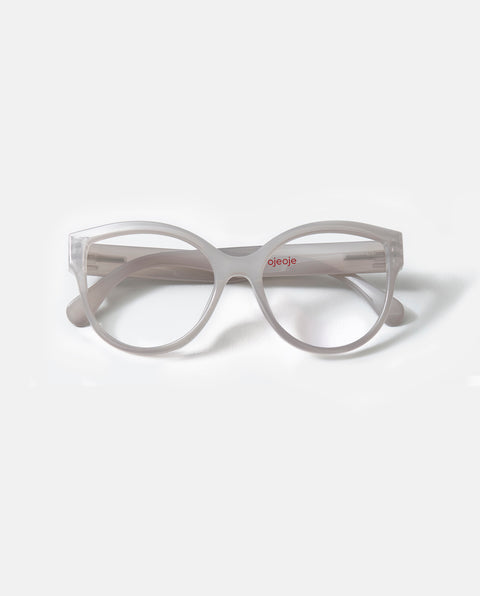
2. Wear the right glasses. Even a low prescription can make a big difference when you use your eyes up close for many hours in front of a screen. Reading glasses for screen use or glasses with a blue light filter can reduce eye strain and relieve your eyes. At OjeOje, you'll find reading glasses made from recycled plastic – so you can see clearly with a good conscience.
Tips:
• Use glasses for screen use.
• Get regular eye exams – even a small change in prescription can make a big difference for your eyes.
• Try different frames – find one that is comfortable to wear for many hours and suits your distance to the screen.
3. Blink more often. Many people forget to blink when looking at screens, which can lead to dry and irritated eyes. Consciously blink several times an hour – this keeps the eye surfaces moist and reduces irritation and redness.
Tips:
• Do small blinking exercises: blink slowly 10 times and keep your eyes gently closed for a few seconds.
• Blinking also helps to distribute tear fluid evenly, which prevents redness and discomfort during prolonged screen time.
• Use artificial tears if your eyes feel extra dry.
4. Adjust the screen. The placement of the screen is important for both eyes and neck. Your screen should be at eye level or slightly below to avoid straining your neck and shoulders. Avoid reflections from windows and lamps, and adjust the brightness to the room's light level.
Tips:
• Reduce the screen's brightness and, for example, use Night Shift, which changes the screen's color temperature and reduces blue light in the evening.
• Adjust font size and contrast so that your eyes are not strained.
• If you work with multiple screens, place the primary screen directly in front of you and secondary ones slightly to the side.
5. Pay attention to the room's lighting. The light in the room affects how strained your eyes become in front of the screen. A very bright screen in a dark room can quickly cause fatigue and irritation. Ensure that the room is evenly lit so that the contrast between the screen and its surroundings is not too great. Position lamps so that the light falls softly around you without creating glare on the screen.
Tips:
• Use soft, diffused light from ceiling or table lamps instead of just the screen's light.
• Avoid strong light directly behind or in front of the screen, which causes reflections.
• Adjust the room's lighting to match the screen's brightness – this protects the eyes during longer periods.
6. Take short breaks. Get up, stretch your body, and look away from the screen several times an hour. Even a one-minute break can relax your eyes, neck, and shoulders, improve focus, and reduce fatigue throughout the day.
Tips:
• Do small eye exercises: roll your eyes slowly in circles, look up and down, or focus on different distances.
• Stretch your shoulders, neck, and back to reduce tension, which often occurs from prolonged sitting.
• Combine breaks with deep breaths to help your body and mind relax completely.
7. Screen-free zones and sleep. Avoid screens right before bedtime – blue light disrupts the body's natural circadian rhythm and makes it harder for the brain to relax. Screens also stimulate dopamine, the brain's reward chemical, which keeps us attentive and entertained – but too much dopamine in the evening can make it difficult to unwind. Put away your mobile phone and other screens at least 30 minutes before bedtime, allowing your eyes and brain to naturally calm down.
Tips:
• Have screen-free evenings.
• Reduce blue light by using Night Shift or similar functions on screens in the evening.
• Create relaxation routines – read a book, do gentle stretches or meditate, so the brain and dopamine levels naturally decrease.
When should you seek help?
If you often experience headaches, blurred vision, dry, irritated, or tired eyes, or dizziness, it's a sign that your eyes are working too hard – especially after long hours in front of the screen. An eye exam with an ophthalmologist or optician can help you determine if a slight prescription, a pair of computer glasses, or minor adjustments to your workstation can make a big difference. Many only discover then how much better their eyes can feel with the right help.
Take care of your eyes – they take care of you
Screens are an unavoidable part of everyday life, both at work and in leisure. But just as we take care of our bodies through exercise and movement, we must also care for our vision. Small habits can make a big difference. Taking short breaks from the screen, even just a minute or two every hour, allows the eye muscles to relax. Simple eye exercises, where you alternately focus on something close and something far away, can alleviate fatigue and tension. It also helps to adjust your workstation so that the screen is at an appropriate height and distance, and light and contrast are adapted to the room. Using the right glasses can further relieve the eyes and make long screen hours more comfortable.
Your eyes work hard every single day, and they deserve a little love in return. With the right habits, you can reduce fatigue, prevent irritation, and protect your vision in the long term, while making screen time more pleasant and gentle.
FAQ
What is computer vision syndrome (screen fatigue)?
Computer vision syndrome is a condition where the eyes become tired, dry, or irritated after prolonged use of digital screens. This is due, among other things, to fewer blinks, constant close-up focus, and strain from screen light – especially blue light.
What are the typical symptoms of screen fatigue?
Typical symptoms include dry, red, or itchy eyes, blurred or double vision, headaches, dizziness, and tension in the neck and shoulders. Many also experience general fatigue or pressure behind the eyes at the end of the day.
Why do eyes get more strained in front of screens?
When we look at a screen for an extended period, we blink up to 60% less, and the eye muscles work constantly to focus up close. At the same time, the screen's light can draw extra energy from the eyes and affect both concentration and sleep.
Who most often experiences computer vision syndrome?
Screen fatigue primarily affects people who work or spend many hours daily in front of screens, but children and young people are also experiencing problems earlier than before, as screen time in both school and leisure has increased significantly.
What can I do to prevent screen-tired eyes?
You can, among other things, follow the 20-20-20 rule, consciously blink more often, take short breaks, adjust the screen and lighting, and use the correct glasses for screen use. Small changes in daily life can make a big difference to eye comfort.
Discover more of our blog posts
Double vision
Blurred vision
Visual disturbances and ocular migraine